
Going mobile with Luminar Neo
Luminar Neo goes mobile
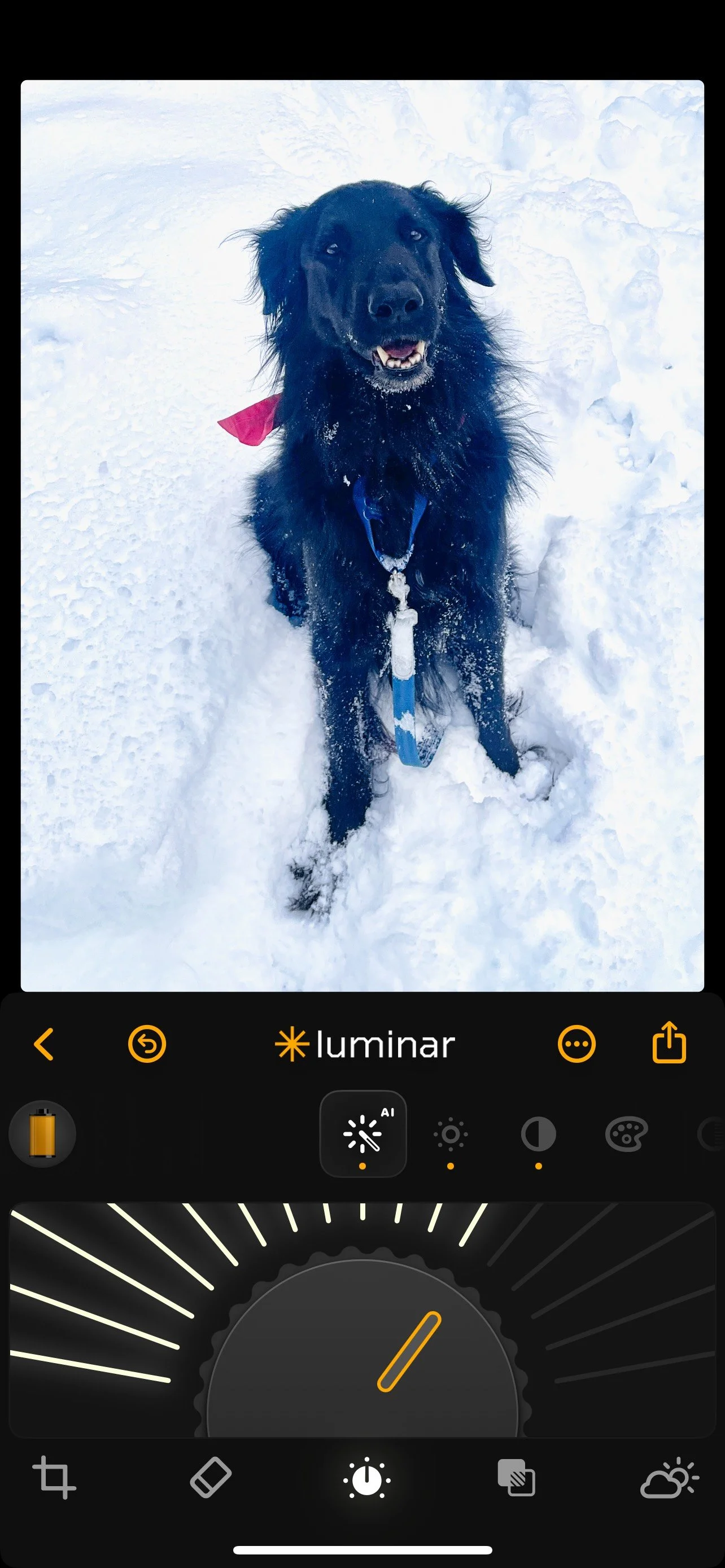
A black dog in snow: The perfect example of why we need the power of a post processing photo program on our phones. Colby, our flat-coated retriever, loves the snow. Unfortunately, getting properly exposed photographs of him playing in the snow on our phones is impossible. With the help of Luminar Neo mobile app, pictured here, I was able to white the snow and lift the details in his jet-black fur, as well as brighten his eyes using Luminar Neo’s mobile app. I also cropped the image to make Colby larger in the Frame and use the erase module to take out some distracting plants in the upper left corner of the image. (See below for the original image.)
If you are like most of us, our phones are an integral part of capturing favourite memories.
Unfortunately, most of the images sit on our phones until we either get a new phone or delete them to save space. Sure, a fraction of them might make it to instagram, Facebook or sent via email to friends and family.
It’s rare, however, that these images are given the attention they deserve. It’s even rarer that they ever get an edit to fix problems and realize their full potential. Most are taken, forgotten and eventually deleted never to be seen again.

Smartphone failure
Our smartphone cameras can by very good at capturing difficult subjects but a black dog in the snow is not one of them. This “straight-out-of-the-camera image is the perfect example of why we need a powerful photo post processing program to rescue images prior to posting them online.
Throw away memories that are never printed and easily forgotten.
Luminar Neo is looking to change all that with their mobile app that packs much of their photo editing power into your phone. If that’s not enough, the folks at Luminar Neo are making transferring images from your phone to your laptop or desktop Luminar Neo post processing program as quick and easy as a few simple clicks.
• If you are an existing user to Luminar Neo, click here for more details.
• If you are a new user to Luminar Neo, click here for more details.
Do phone images even need editing?
You might say ‘my phone is capable of taking great images and don’t need to be edited.’
In many instances, images produced by your smartphone are very good. However, I can honestly say that most images can be improved with a quick edit, and many can be transformed with editing prior to publishing.

Colby in the snow after post processing with Luminar Neo.
If, for instance, your instagram account is important to you, taking a few minutes to quickly edit your images is time well spent.
For example, If you are taking images in unusual conditions, such as at the beach with white sand, or in winter with snow, or directly into bright sun, you will need to edit the images before posting. If you are taking images is poorly lit areas, using your phone’s flash or maybe you need to remove distracting elements. In all these cases, you will need the capabilities of a powerful post processing program.
That’s where the Luminar Neo Mobile app goes into action.
Lighten the shadows to bring out detail in the backlit image, turn that blueish snow into the crisp white you remember. Crop it, add some warmth, improve skin tones and even turn to a little Ai magic to remove distractions in the image.
And, that’s not all. Many of the features on the full desktop program are available on the mobile version, including Luminar’s transformative “Light depth” module. For more on this outstanding light manipulation editing module, check out my earlier post here.
For more on Luminar Neo’s Holiday gift for photographers, check out my post here.
Finally, if you want your favourite smartphone images on your laptop or desktop for further post processing, transferring your mobile images to your laptop or desktop Luminar Neo program is as simple as a few quick clicks. All of the edits you made on the mobile app are transferred to your desktop ready for you to further refine the image.
The folks at Luminar Neo have taken huge strides in combining the power of our smartphones with the power of their ai-based post processing software to put the magic of Luminar Neo literally at our fingertips.
And they have slashed prices this holiday season to make Luminar Neo the perfect gift to give to yourself or your favourite photographer.
What you get and pricing packages
You might be surprised just how much processing power you get for a more than reasonable price. Luminar Neo’s Black Friday offers are live with discounts of up to 77% — the perfect moment to get the full Luminar Neo Ecosystem.
Here are some of the pricing details: Please use the click here to get the discounts through my affiliate with Luminar Neo.
Prices for new users: Click here for more details
Luminar Neo Desktop Perpetual: $99
Luminar Neo Cross-device Perpetual (Desktop + Mobile): $139
Luminar Neo Max Perpetual (Desktop + Mobile + Spaces): $159
Prices for existing users of Luminar Neo: Click here for more details.
Upgrade Pass: $49
Ecosystem Pass: $69
Please use the two links above to get more information or to make a purchase. By using these affiliate links, I receive a small contribution at no extra cost to you for making the purchase.